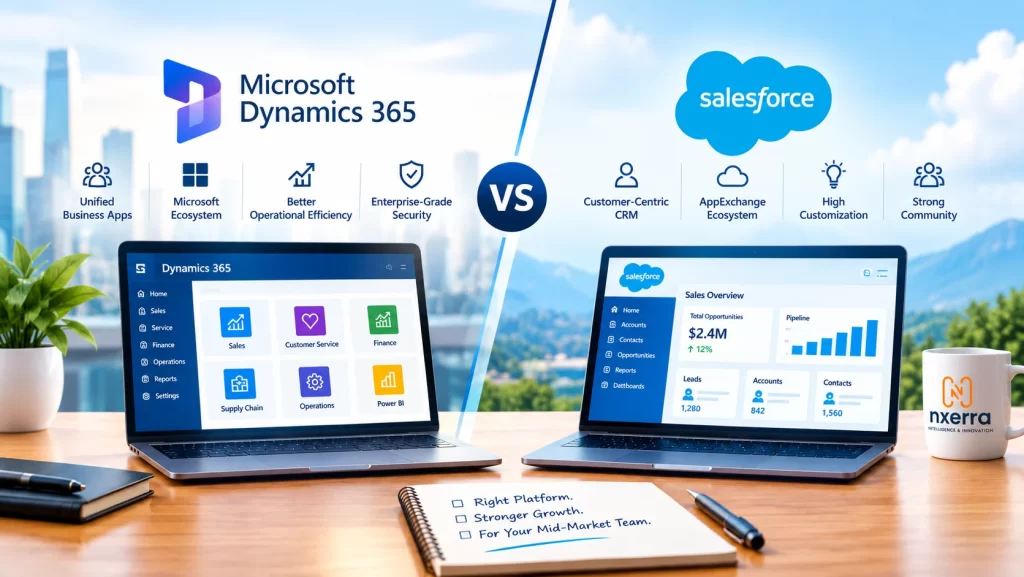
Most CRM comparisons read like feature checklists, and that’s why they rarely help. Both Microsoft Dynamics 365 and Salesforce are mature, capable platforms, and either can run a mid-market sales and service operation well. The better question is which one fits your systems, people, and processes with less friction.
This guide gives you a decision framework rather than a verdict. It covers the differences that matter in practice, the questions to ask, and the mistakes that cause CRM projects to stall.
In this guide
- What “mid-market” changes about the decision
- The two platforms at a glance
- Seven factors that should drive your choice
- When each platform tends to fit
- Common mistakes
- A selection checklist
- FAQs
Why mid-market teams decide differently
A mid-sized company sits in an awkward middle. You have more complexity than a startup (multiple teams, integrations, reporting needs) but fewer dedicated administrators and developers than a large enterprise. That shapes the decision in three ways:
- Admin capacity is limited. A platform that needs a large specialist team to maintain can become a burden.
- Integration matters more than features. The CRM must work with your ERP, finance, marketing, and collaboration tools.
- Adoption decides ROI. A technically superior CRM that salespeople avoid delivers little.
The two platforms at a glance
Microsoft Dynamics 365 is a family of business applications covering sales, customer service, marketing, finance, and operations. It’s built on the Microsoft ecosystem, so it connects closely with Microsoft 365, Teams, Outlook, Excel, Power BI, and the Power Platform.
Salesforce is a cloud-first CRM platform with a long history in sales, service, and marketing. It’s known for its configurability and the AppExchange marketplace, a large catalog of third-party add-ons.
Neither is a “basic” product. The differences lie in ecosystem, how each is extended, and how each fits different organizations.
Seven factors that should drive your decision
1. Your existing technology stack
If your teams already live in Outlook, Teams, SharePoint, and Excel, Dynamics 365 tends to feel familiar and reduces context switching. If your stack is more mixed or cloud-diverse, Salesforce’s integration options and AppExchange can be an advantage. Map your current tools first. The cost of connecting systems often outweighs differences in CRM features.
2. ERP and back-office connection
If you run, or plan to run, Dynamics 365 Business Central or Finance, a single vendor family can simplify connecting quoting, orders, and invoicing to customer records. If you run SAP, Oracle, or another ERP, evaluate integration effort for both options rather than assuming one is easier.
3. Customization and extensibility
Both platforms can be tailored extensively, in different ways.
- Dynamics 365 customization often centers on the Power Platform (Power Apps, Power Automate), which suits teams with Microsoft-skilled staff and “citizen developers.”
- Salesforce relies on its declarative tools (such as Flow) and, for deeper work, Apex code and its own development model.
Ask who will maintain customizations a year from now. The right answer is the one your team can sustain.
4. Data, reporting, and analytics
Dynamics 365 pairs naturally with Power BI and the wider Microsoft data stack, including Fabric. Salesforce offers its own reporting and analytics tools and a broad partner ecosystem. If your leadership already uses Power BI, that familiarity counts. If you need advanced analytics, test both with your real data, not demo data.
5. AI and automation
Both vendors are building AI into their products, from assistants that summarize records to features that suggest next steps. These capabilities and their licensing change quickly. Don’t decide on roadmap slides: ask each vendor to demonstrate specific AI features on your use case, confirm what’s included versus extra-cost, and verify data-handling and privacy terms.
6. Total cost of ownership
License price is only one part. Compare:
- Licenses for every user type you’ll need (sales, service, power users, occasional users)
- Add-ons, extra modules, and marketplace apps
- Implementation and data migration
- Integration and ongoing maintenance
- Admin and training costs
- Renewal terms and how pricing scales as you grow
Pricing and packaging change often, so get current quotes for your exact user mix instead of relying on published comparisons, including this one.
7. Adoption and user experience
The best CRM is the one people actually use. Run a pilot with real salespeople and service agents, not just managers. Watch where they hesitate. A short, hands-on trial often settles debates that months of analysis can’t.
When each platform tends to fit
These are tendencies, not rules.
Dynamics 365 often fits when:
- The organization is already deeply invested in Microsoft 365 and Azure
- CRM and ERP should share one ecosystem
- The team has Microsoft skills and wants to use the Power Platform
- Power BI is already the reporting standard
Salesforce often fits when:
- Sales and service processes are complex and need heavy configuration
- A broad third-party app ecosystem matters
- The company has, or plans to hire, dedicated Salesforce administrators
- The tech stack is varied and not Microsoft-centered
If your situation matches both lists, that’s normal. Then the tie-breakers are integration cost, the pilot results, and the quality of your implementation partner.
Common mistakes to avoid
- Choosing by feature count. Most teams use a fraction of what either platform offers.
- Ignoring data quality. Messy contact and account data will hurt either system. Clean it first.
- Underestimating change management. Training, ownership, and clear processes matter as much as configuration.
- Over-customizing at launch. Start with standard capabilities, then add customization where it proves its value.
- Skipping stakeholder input. Sales, service, finance, and IT all need a voice early.
- Treating selection as the finish line. Governance and a post-launch improvement plan decide long-term success.
CRM selection checklist
- Document your top five sales and service processes
- List every system the CRM must integrate with
- Define who will administer and extend the platform
- Identify user types and counts for licensing
- Request quotes that include add-ons and implementation
- Prepare real data and scenarios for demos
- Run a time-boxed pilot with frontline users
- Review security, compliance, and data residency needs for each market you operate in
- Check customer references from companies of your size and industry
- Agree success measures, such as adoption, pipeline visibility, and response times
Need help choosing?
Nxerra works with both platforms, so our advice isn’t tied to selling one of them. We can run a short discovery and fit assessment against your systems and processes, then recommend the option that suits your team. Explore our Microsoft Dynamics services and Salesforce services, or contact us to talk it through.